

Slime Legion for PC
Roguelike tower defense!Updated April 7, 2026
Slime Legion PC Details
| Category | Casual |
| Author | Perfeggs |
| Version | 4.0.0 |
| Installations | 3419952 |
| Size | 842.7 MB |
| What's New | 1. [New Hero: Demon Lord Siren] Coming Soon 2. [New Hero: Eryx] Coming Soon Anniversary Carnival begins! 2026/4/1-2026/4/30 3. [Light Up Dream City] Opening Soon 4. [Guard Plan] Opening Soon 5. [Star Stories] Opening Soon 6. [Magic Road] Opening Soon 7. [Anniversary Match-Up] Opening Soon 8. [Anniversary Delivery Box] Opening Soon 9. New PVP grouping system 10. Detail optimization and BUG fixes |
Slime Legion for PC Screenshots

Welcome to the Exciting World of Slime Legion
Get ready for a super fun adventure! Slime Legion is a game that is easy to love and hard to put down. It mixes together many cool ideas to make something truly special. If you enjoy games with cute characters and addictive gameplay, you will have a great time here. It is a perfect game to play when you have some free time.
How to Play and Have Fun
Matching Your Way to Victory
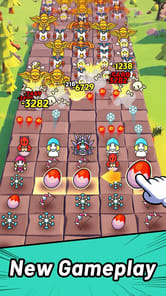
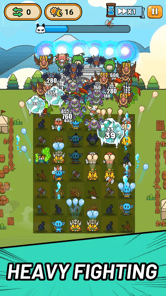
Slime Legion plays like a match-3 game but with a fun twist. Instead of just swapping pieces, you can move your units all around the board. This gives you more control to make clever moves. Here is a fun tip to get ahead: try to match five units at once! When you do this, you get more monsters and even higher-level ones. It is a simple trick that makes a big difference.
Defend and Conquer
Once you make your matches, your cute units help you in battle. The game has a cool style like a tower defense or Galaga game. You will travel through different worlds, facing bigger challenges as you go. At the end of a stage, you will fight a tough boss. After you win, your top six units are saved for the next round, so always try to build a powerful team!
Grow Your Powerful Army
Collect and Upgrade Your Heroes
A big part of the fun in Slime Legion is collecting all the different characters. These heroes come in the form of cards that you can level up. Making your cards stronger helps you get further in the game. The characters have a very cute and tiny style that looks great.
Always Something New to Do
Slime Legion always feels fresh and exciting. As you get better, you can unlock new game modes to try. There is also a neat system where you get to choose special perks from chests. This means you can build your team in many different ways. Getting new units is easy, so you can always experiment with new team combinations.
A Game Made for Players
One of the best things about Slime Legion is how it handles ads. You can play the whole game without ever being forced to watch an ad. The ads are completely optional. You can choose to watch one if you want a bonus, but you never have to. You also do not need to spend money to have a good time. The game is designed to be fun for everyone, whether you decide to make in-app purchases or not.
Frequently Asked Questions
What kind of game is Slime Legion?
Slime Legion is a wonderful mix of genres. It combines merge, match-3 puzzle, and tower defense gameplay. It also has RPG elements like collecting and upgrading characters.
Do I have to watch a lot of ads?
Not at all! The ads in Slime Legion are opt-in. This means you only watch them if you want to get an extra reward. You can enjoy the entire game without seeing a single ad.
Is it fun to play without spending money?
Yes, absolutely! While there are options to pay to progress faster, you do not need to buy anything to have fun and be successful in Slime Legion.
How to Install Slime Legion on PC
Below instructions allows you to download and install Slime Legion app on Windows or MAC computer using an Android emulator. The process involves:
Download APK:Downloading the Slime Legion APK file by choosing a version.
Install Android Emulator:There are a number of Android emulators the internet. Choose a emulator that works better with your PC. Now, download and install the Android emulator software.
Run the Emulator:Open the emulator you have just installed and configure the settings such as display, keywords, mouse etc.
Install Gene:Open the downloaded Slime Legion APK file using the emulator, which will install Slime Legion on Windows or MAC.